
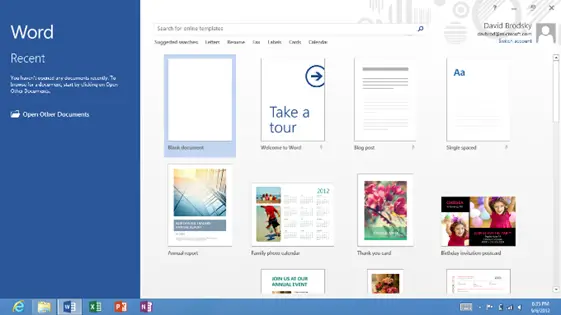
Microsoft reveals more details about Office 2013 on Windows RT
When the Surface – and other Windows RT PCs – hits the market in six weeks, it’ll come with the latest version of Microsoft’s popular Office suite preinstalled. But until now, Microsoft hasn’t talked about just how similar – or different – Office 2013 RT will be to its more traditional counterpart.
For the most part, Office 2013 and Office 2013 RT are indistinguishable. Both versions are based on the same codebase, and they include a number of tweaks to improve performance and battery life. CPU wake up times per minute have been reduced by up to 95%, dramatically increasing battery life, and the overall footprint of the suite has been reduced to help conserve storage space. As a result, most templates and clipart have been removed (although they’re still available for download), and even minor things like the blinking cursor have been altered in order to cut down on unnecessary power usage.
Office Home & Student 2013 RT, however, will differ from the regular version in a few key areas. Namely, the following features won’t be found in Word, Excel, PowerPoint, or OneNote:
- Macros, add-ins, and features that rely on ActiveX controls or 3rd party code such as the PowerPoint Slide Library ActiveX control and Flash Video Playback
- Certain legacy features such as playing older media formats in PowerPoint (upgrade to modern formats and they will play) and editing equations written in Equation Editor 3.0, which was used in older versions of Office (viewing works fine)
- Certain email sending features, since Windows RT does not support Outlook or other desktop mail applications (opening a mail app, such as the mail app that comes with Windows RT devices, and inserting your Office content works fine)
- Creating a Data Model in Excel 2013 RT (PivotTables, QueryTables, Pivot Charts work fine)
- Recording narrations in PowerPoint 2013 RT
- Searching embedded audio/video files, recording audio/video notes, and importing from an attached scanner with OneNote 2013 RT (inserting audio/video notes or scanned images from another program works fine)
Touch mode will also be enabled by default. The release date for Office 2013 is still up in the air, so Windows RT PCs will include a preview version when they launch on October 26. Microsoft plans to update this to the final version sometime between November and January, depending on your language.
Windows RT may not support the installation of desktop applications, but the inclusion of Office 2013 RT should help ease this limitation. It’s also a great selling point for the devices, since consumers won’t be required to incur additional costs in order to take advantage of the leading productivity suite.
[Office Next]

