
Review: Windows 8 – Store

Pocketables is reviewing a different aspect of Windows 8 each week until the operating system’s public launch on October 26. Having just taken a look at the Charms, it’s time to take a look at the Windows Store.
With Windows 8, Microsoft is introducing an official app store for PCs and tablets. This idea certainly isn’t new, but it’s a nice feature for users. The Windows Store manages to combine some of the best features from other similar app repositories, such as the Windows Phone Marketplace’s notion of trials.
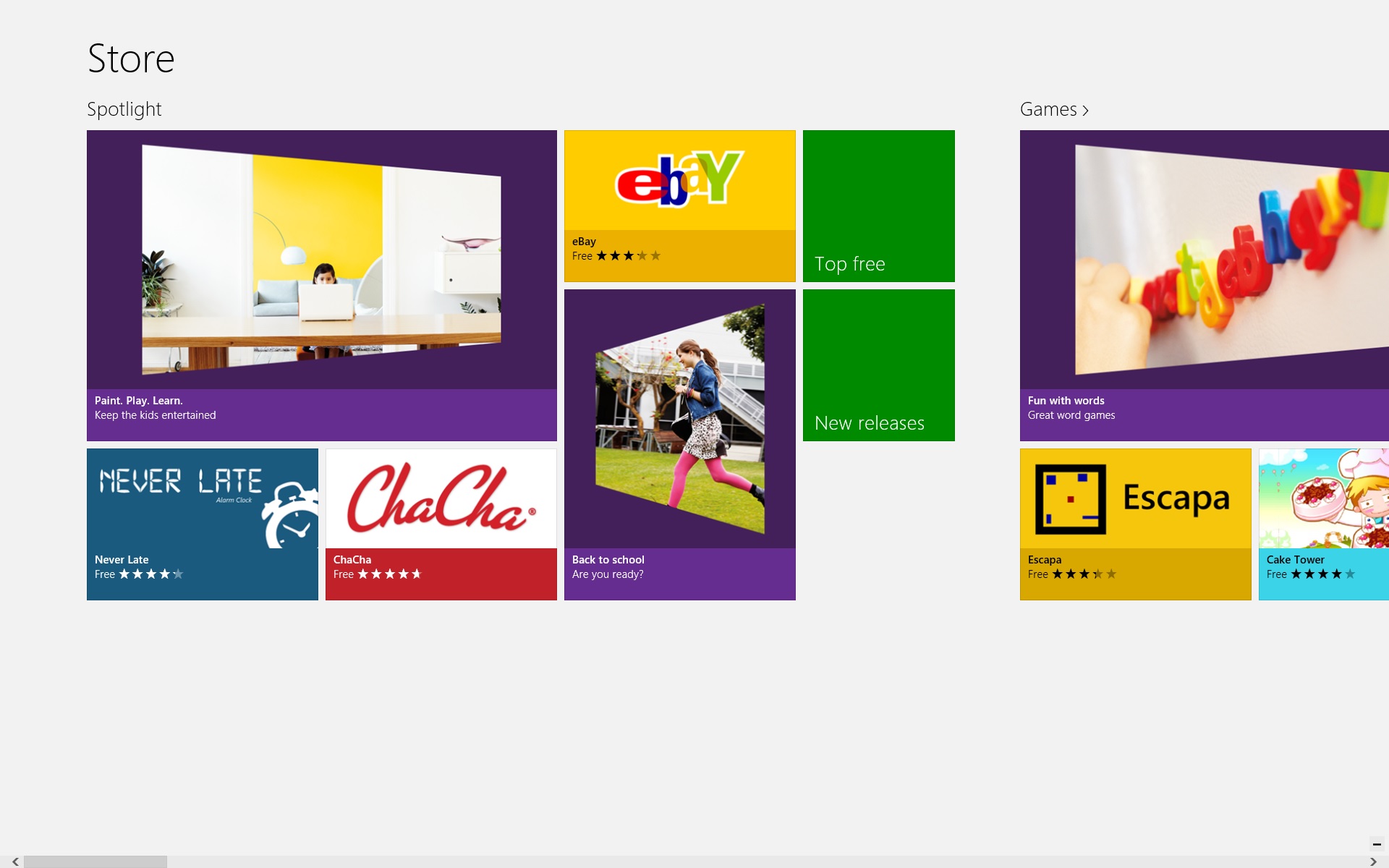
When you first launch the Store, you’re presented with a very long horizontal list of categories and featured apps. It might seem a little daunting at first, but it’s fairly easy to navigate thanks to semantic zoom, which allows you to see a birds-eye view of all of the categories, just like on the Start screen. Each category includes tiles for the top free apps, as well as some curated app highlights. Once a category reaches a certain number of apps, a new releases tile will appear as well. You might be wondering how to simply view a list of all apps in a category. To do that, you’ll need to click on the header, such as “Games >.” It’s not very obvious for newcomers, but it helps reduce clutter and you quickly grow accustomed to it. Plus, this type of navigation is used in other official apps as well, like Xbox Music.
Oddly enough, most app stores still have yet to implement app trials. The Windows Store, like the Windows Phone Marketplace and Xbox LIVE Arcade before it, allows you to download a trial version of an app before you buy it. Trials will vary from app to app – some are full-featured for a limited time, while others restrict certain aspects of the app – and in most cases, it’s up to the developer to choose whether or not to make one available. They are, however, extremely useful, especially when it comes to games.
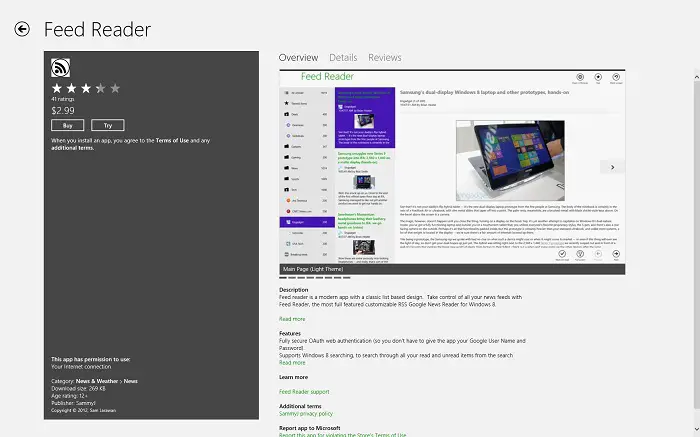
App listings include all of the information you’d expect in an app store, like ratings, user reviews, screenshots, descriptions, features, release notes, permissions and supported languages, download size, age rating, publisher, and related links. Don’t expect to hide behind your reviews, though. Each one is tagged with the first name and profile picture of the person who left it. The download/purchase experience is very smooth. While it will ask for your password whenever your buy an app, you have the option of turning this off in the settings. It’s also important to note that, while legacy desktop applications can be listed in the Store, the actual transaction must be completed on the developer’s website. This allows major applications like Office and Photoshop to have an official presence in the Store.
Microsoft has made it easy to find all of the apps you’ve downloaded in the past by simply bringing up the app bar and selecting “your apps.” From here, you can batch install apps, making it easy to get up-and-running on a new device. The default view shows apps that are not installed on the PC you’re currently on, but you also have the option of seeing all apps or just apps installed on a particular device. It’s also possible to see how much space your apps are using by opening up the PC settings and navigating to General > Available storage > View app sizes. App licenses are tied to your account, and you can have up to five authenticated devices at any given time. This, of course, can be managed in the Windows Store settings.
While the Windows Store will let you choose which Microsoft account to purchase apps with, the apps themselves are tied to a single user profile on the PC. This is fine in theory, but it can become problematic if you have a large family with multiple user accounts. In this case, you’ll actually be required to purchase the same premium app on each account, even though everyone’s using the same PC. Thankfully, you can get around this by changing users in the Windows Store settings and logging in with the account you originally purchased the app on.

The Windows Store also includes support for searching and sharing via the Charms, auto-updates (notifications are shown on the live tile and in the Store itself), and a few miscellaneous preferences which make it easier to find apps in your preferred language or that include accessibility features. Snapping the app doesn’t do anything, but the usefulness of a snapped Store is somewhat questionable anyway, aside from keeping an eye on app downloads (which appear as notifications anyway).
While the Windows Store itself is complete, the list of apps in the Store is expected to swell between now and launch. With Windows 8 available for developers, subscribers, and OEMs, the amount of app submissions is certain to increase rapidly. A few high profile apps, like Skype and Netflix, are still missing, but Microsoft and its partners still have just under two months before Windows 8 becomes publically available. As a result, we’ll be holding off on individual app reviews until closer to the official launch.
Next week: Internet Explorer 10. For our full coverage, check out the Windows 8 review portal.


