
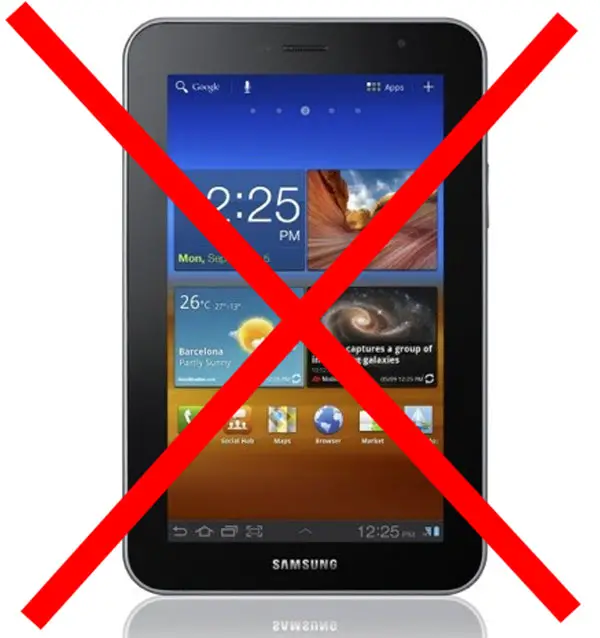
It’s been a year since I bought my Galaxy Tab 7.0 Plus. At the time it was my first Android device in a while, and the only Android device in my arsenal. I later switched my iPhone for an Android phone, and started becoming more and more Android-based. These days I could never go back to iOS for my phone, but on the tablet side, the story is quite different. My iPad has always been a productivity tool, and the only loyalty I have to it is to the apps that I simply cannot find equivalents for anywhere else – be it full blown computer OSes or Android. I’ve tried, and I’ve tried, made compromises and tried again. I’m done.
Being a teacher student means you’re both a teacher and a student. The student side apps have been the apps I’ve not been able to replace on Android for the last year, and now that I also need apps on the teacher side, I’ve found the situation to be no better there – worse, in fact. The ridiculous difference between iOS and Android in terms of education-related software just makes me wonder if anyone is actually developing productivity apps for Android at all. The task of moving from the iPad to an Android tablet seemed impossible when I was just looking for student software, now it has reached mythical levels.
Right now, my Android phone and my iPad are with me all the time. My Android tablet? Don’t think I’ve used it for anything but an alarm clock for the last few months. My mistake has been that I’ve basically been ignoring exploring what I can do with the iPad because I’ve always hoped that I would be able to replace it sooner or later. Big mistake.
Today, I sat down and really dug into the Cydia store for jailbroken iOS software. Turns out that my unwillingness to look beyond what the less-than-useless search feature in Cydia gave me was a bad decision. I’ve found a ton of software that fixes many of my gripes with the iPad, albeit not all.
Remember my article about how Android has ruined iOS for me? Well, you can scratch one of the features I list there off the list. AndroidLock XT not only gave my iPad a pattern unlock feature identical to that on Android, it also has the option to unlock automatically when you’re connected to a specified WiFi network. As irony would have it, upgrading my Galaxy Tab to ICS forced me to switch to a pin unlock code to continue using Unlock With WiFi, and it still isn’t working correctly. The result is that both my Gingerbread Android phone and my iPad now have pattern unlock screens with automatic WiFi unlocking, while my ICS Android tablet has neither. And people wonder why I hate Android versions above Gingerbread…
Android tablets still have a lot of uses to some people. Personally, though, it’s a lost cause for what I need a tablet to do, simple as that. Will I miss Android apps like AutoRemote, Dropsync, Tasker, and Dolphin? Absolutely, they’re the apps that make my Android phone so great. Those apps are of no use to me on a device that’s otherwise so useless that it’s sitting in a dock at home, however. An Android phone and an iPad seems to be what’s working best for me, so I’m just going to stop hoping that will change and get on with it. A year spent hoping that things would change is enough.



This seems backwards. For the man who is so very versed in tasker, I am surprised you don’t use tasker with secure settings from the store to turn off the pattern lock on your selected wifi spots.
Tried, doesn’t work consistently. Don’t know if it’s an issue with the device, ROM, what it is, but it simply doesn’t work the way it should. Haven’t bothered too much with it since I never use that thing. Works perfectly on Gingerbread on my phone with an app that doesnt even need root.
I’m sorry to hear that. Can you describe what happens when it doesn’t work successfully?
Doesn’t unlock, then doesn’t relock, all a big mess. It’s irrelevant though, as UWW works on my phone, and now the ipad.
Just a note on unlocking – Tasker has a screen off checks timeout that is different for screen on timings. Also, for tasker, wifi is only considered to be truly lost when it has verified across two check intervals. This means (with default settings) that tasker does not think you have left a wifi area for 20 minutes after you really leave. This could be the relock problem you are having instead of a problem with the underlying OS.
I know, I have WiFi based profiles that work like a charm.
I’m also curious about which apps on the iPad don’t exist on Android for teaching. Please elaborate. If something is missing, I am curious about seeing the differences.
Apps I use in that situation: iTeacherbook, ReplayNote, SyncPad, Goodreader, Goodnotes, Oxford dictionary (tablet version), official apps for school systems like classfronter, scanner pro (for its batch mode). Saying there are android equivalents is like saying an inflatable boat is equivalent to an aircraft carrier
iTeacherbook is an interesting one as in my educational setting this isn’t something the Teacher’s would have running on there tablets or PCs but rather is run on a central server which is accessed through a web-browser and therefore is OS agnostic. I can see the value of the software, if your Establishment doesn’t provide such a centralised solution. ALL Secondary and Primary and I expect, Higher Education establishments in the UK, would provide this centralised option.
Replaynote is interesting, I think the software for S-Pen, which is a superior writing tool, allows the writing and speaking part, but not the simple Youtube upload.
OED has an Android app which screenshots suggest to me looks the same as for an iPad.
Never found the need to annotate PDFs so never needed something like Goodreader or Goodnotes. There are plenty of Scanner software including multipage documents for Android so not sure of your problem with this one.
If classfronter is the same as Fronter – then there is an Android app by Fronter, which again seems the same as Fronter for iOS.
Syncpad is interesting. I know you can do something like this using an Interactive Whiteboard – though ours require a PC with a USB dongle to allow slates to do this throughout the classroom. Never heard of it done from separate locations though I can see the value if you make a phone call at the same time/VOIP.
I see your problem, which I don’t face in my educational setting. Some of these apps are actually available as direct equivalents, but some do still seem to be lacking.
Maybe I should look into writing an app or two myself…
There’s a centralized system here too, but it’s not the same. iTeacherbook ties into your existing calendar, so when you open it, the attendance list for that class is right in front of you. No logging in, selecting days and times in a backwards online system, trying to navigate a computer-made system or anything like that. You can export the lists and then put it in the system when you have the time, not waste the class’ time doing it.
Not sure what app you’ve seen the screenshots of but I’ve only found poorly made android PHONE apps, nothing designed for a tablet. I have an android phone, I don’t need an android tablet if there aren’t any apps that take advantage of the screen real-estate.
Try to batch process a few hundred DSLR images using an app other than scanner pro. If you start referring to the time it takes you in hours, you know why it has to be that one.
Fronter has an android PHONE app. And I said “like fronter”, it was just a example.
Syncpad’s beauty is it works with any browser. No issues with local wifi, client software etc.
And finally, the goodreader/goodnotes situation is the absolute most important of them all, so even if there were actual equivalents for all the others, it still wouldn’t matter.
I’d like to know too.
Then can exploit that gap in the market
Speaking of Android. I bought my Samsung galaxy tab 7.7 through Verizon in June/2012 with the promise of the upgrade from honey coumb (3.2) to ice cream sandwich (4.0.4). On 10/05/2012 Verizon had the change logs for this update posted on their web site. Today (10/26/2012) still no update and no word from Verizon what’s wrong. I called Verizon’s tech support and their home office and no one can give me an answer? IPAD MINI ANYONE?
That’s a shame about Verizon. I’m writing this on a Tab 7.7 Wifi running Cyanogen Mod 9 ICS, and I have no complaints.
At least you tried to live with one
I stayed away from Android tablets as well up until the Nexus 7. I love Jelly Bean and that it will get the latest version since it’s Google supported. I used to have your same set up. Android Phone and iPad. But since I’ve gotten the Nexus 7, my wife has been the sole user of the iPad.
Sorry your experience wasn’t so good – if I had time, I would take this as a challenge and try to develop the Android apps you need.